
Skip to content
daditime logo

DaDiTime

  • Home
  • Laser Marking
    • EzCad FAQs
    • EzCad Manual
  • Laser Cutting

Time

Time object

Draw Menu: Time

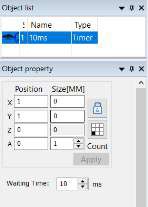
Use it to set the delay time. This is the icon. The attribution is following: Waiting Time: When the processing is executed to the current…
READ MORE ->

Hot Topics

  • How to Use the Function of Lens Correction?
  • Why Does the Laser Marking Machine Alarm?
  • System Requirement of MarkingMate 2.7 Installation
  • How to Improve the Accuracy of Pictures Marking?
  • How to Connect the Foot Switch to Laser Marking Board?
  • Does the Laser Marking Machine Have Radiation?
© 2024 DaDiTime.
Privacy Policy · Contact Us