
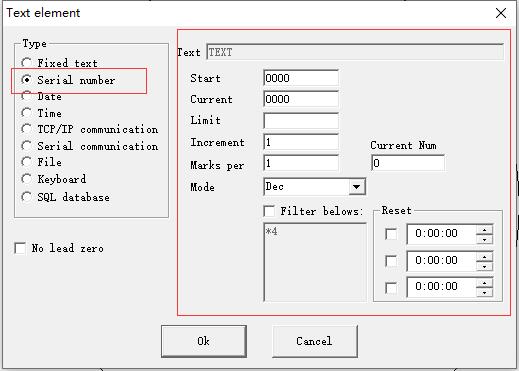
Check “Enable Variable Text”, click “Add”, and select “Serial Number” to start setting. Mode: The mode current series number used, see the figure. Dec: Series number carry…
READ MORE ->
Check “Enable Variable Text”, click “Add”, and select “Serial Number” to start setting. Mode: The mode current series number used, see the figure. Dec: Series number carry…
READ MORE ->