
Skip to content
daditime logo

DaDiTime

  • Home
  • Laser Marking
    • EzCad FAQs
    • EzCad Manual
  • Laser Cutting

Object Property

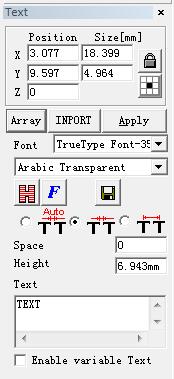
View Menu - Object Property: Positon, Size, Array

View Menu – Object Property: Positon, Size, Array

Object Property is displayed in the left side of the main interface window. X position: the X coordinate of the point in the left button corner of…
READ MORE ->

Hot Topics

  • Laser Beam Can Not Mark
  • How to Use the Function of Rotary Marking?
  • Modify Menu: Curve Editing
  • Laser Menu: ProjectMark
  • The Pattern Marked Using the SplitMark2 Is Deformed?
  • How to Set Marking Twice by Pressing F2 Once?
© 2024 DaDiTime.
Privacy Policy · Contact Us