
The main factors affecting the laser marking speed are divided into two aspects: internal factors and processing workpieces. Internal factors They are laser frequency, laser spot…
READ MORE ->
Marking Speed
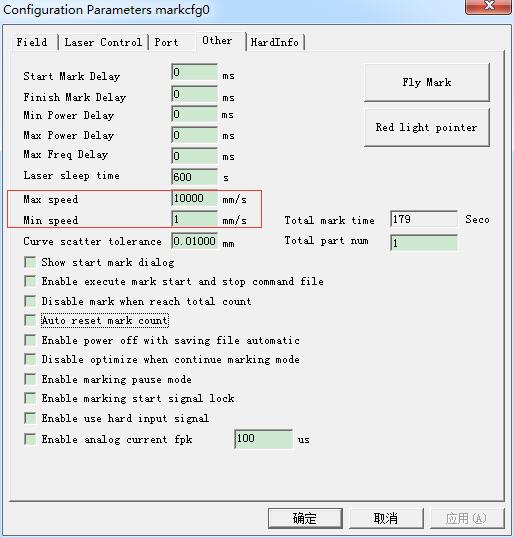
How to Limit the Marking Speed of Laser Marker?
“F3 Parameters” – “Other” – Adjust the “Maximum Speed” and “Minimum Speed”.
How to Set Marking Twice by Pressing F2 Once?
Because it is a 20W laser marking machine, it is a little bit not clear enough, so I will mark twice. But I have to…
READ MORE ->
The Laser Marking Speed Is Very Slow?
The laser marking speed is very slow, and adjust the speed on the right side of the software EzCad does not work? Try changing the fill…
READ MORE ->