Skip to content
daditime logo

DaDiTime

  • Home
  • Laser Marking
    • EzCad FAQs
    • EzCad Manual
  • Laser Cutting

Marking Size

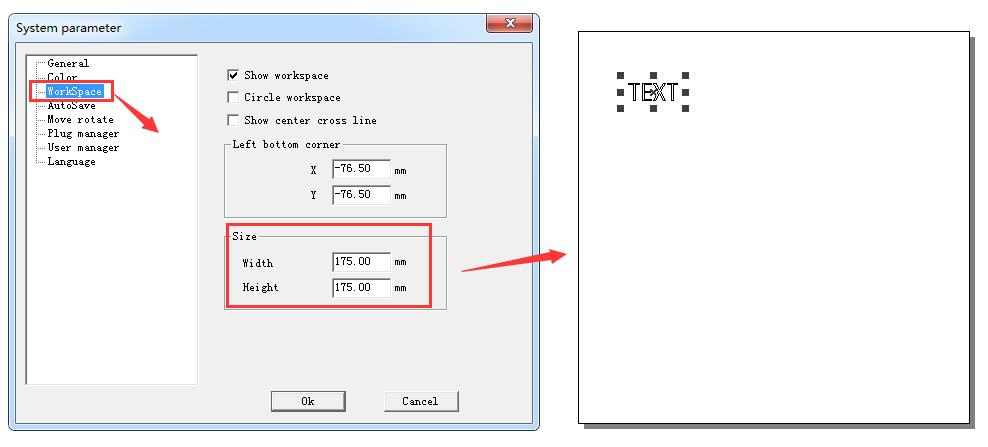
workspace size Width and Height value

How to Adjust the Box Size in Ezcad Interface to Be the Same as the Actual Marking Area?

Find here: File – System parameter – WorkSpace, adjust the Width and Height value of Size.

Hot Topics

  • It Prompts “Can not open correct file” When Open EzCad2?
  • Can Laser Cladding Be Done on Aluminum Alloy Surface?
  • Does the Laser Marking Machine Have Radiation?
  • Mark Parameter: Laser On TC, Laser Off TC, End TC, Polygon TC
  • How to Use the Function of Rotary Marking?
  • The Hatch Is Incomplete?
© 2024 DaDiTime.
Privacy Policy · Contact Us