
Skip to content
daditime logo

DaDiTime

  • Home
  • Laser Marking
    • EzCad FAQs
    • EzCad Manual
  • Laser Cutting

Mark Delay

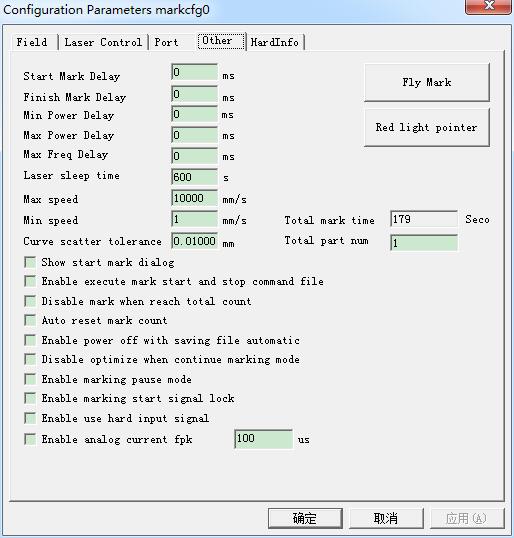
Param(F3) Configuration: Other

Param(F3) Configuration: Other

Starting Mark Delay: The delay before marking. Finish Mark Delay: The delay after marking. Max Power Delay: The Max dealy when the laser power is changed from 0%…
READ MORE ->

Hot Topics

  • Why Are There Few Fonts in the EzCad2?
  • How to Set Serial Number for Laser Marking?
  • Hardware and System Requirements for EzCad3 Installation and Operation
  • What Are the Grading of Laser Safety Indicators?
  • How to Set Ezcad to Mark the Embossed Text?
  • Modify Menu: Curve edit
© 2024 DaDiTime.
Privacy Policy · Contact Us