
Skip to content
daditime logo

DaDiTime

  • Home
  • Laser Marking
    • EzCad FAQs
    • EzCad Manual
  • Laser Cutting

Fly Marking

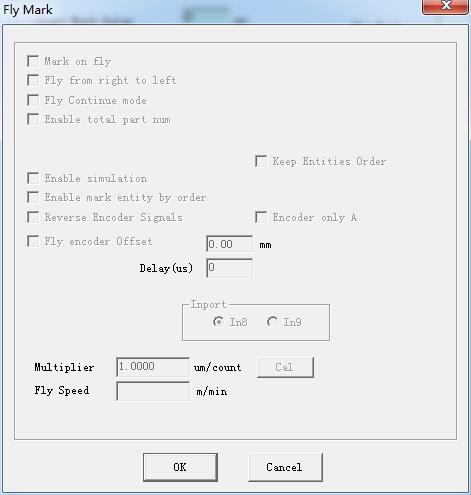
Fly Mark and Red light pointer

Param(F3) Configuration – Other: Fly Mark and Red light pointer

Fly Mark Mark on fly: choosing this item refers to enable “Fly mark” function. Fly from right to left: Choosing this item indicates that stream line direction…
READ MORE ->

Hot Topics

  • Application of Laser Cutting for Glass Photoelectric Code Disk
  • The Hatch Is Incomplete?
  • Machine Parameter: Laser Control
  • Mark Parameter – Four Delay Time: Laser On TC, Laser Off TC, End TC, Polygon TC
  • Application of Laser Cutting for Medical Dressing
  • File Menu – System Parameter: WorkSpace
© 2024 DaDiTime.
Privacy Policy · Contact Us